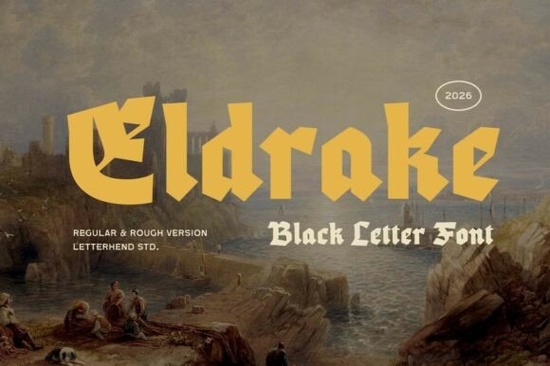
The Eldrake font brings medieval blackletter style into a format that actually works for modern design projects. If you've been looking for a typeface that carries the weight of old-world lettering without sacrificing clarity, this blackletter typeface is worth a closer look. It draws from ancient kingdom aesthetics think carved stone, old manuscripts, and heraldic crests while keeping things structured enough for today's design needs.
Below, I'll break down what makes it useful, where it fits best, and how to get the most out of it in your work.
What Makes This Blackletter Font Different From Classic Medieval Typefaces?
Traditional blackletter fonts can feel heavy, ornate, and hard to read at smaller sizes. That's where Eldrake takes a different approach. It keeps the bold, angular strokes and dramatic letter shapes that define gothic type, but adds a cleaner structure underneath.
The result is a font that looks commanding and mysterious without becoming illegible. You get the spirit of weathered stone walls and forgotten legends, but in a way that translates well to screens, print, and merchandise.
Some specific qualities that stand out:
- Strong vertical weight that gives headlines real presence
- Clean spacing between characters, so words don't blur together
- Consistent letterforms that hold up at both large and mid-range sizes
- A slightly modernized take on blackletter, so it doesn't feel like a historical replica
This balance between old and new is what makes it practical. A lot of blackletter fonts look great as art pieces but fall apart in real use. Eldrake holds up.
What Projects Is the Eldrake Font Good For?
This font works well anywhere you want to add depth, drama, or a medieval edge without going overboard. Here are some real use cases:
- Book covers especially fantasy, historical fiction, or dark themes
- Logo design for brands with a rugged, heritage, or artisan feel
- Print-on-demand products like t-shirts, mugs, and posters with gothic or vintage themes
- Event materials think Renaissance fairs, themed parties, or medieval-inspired wedding invitations
- Social media graphics where you want a bold headline that stops the scroll
- Packaging and labels for craft breweries, hot sauces, or specialty products with an old-world brand identity
If you run a small business selling physical products, a font like this can help your branding stand apart from the generic sans-serifs that dominate most markets. For crafters and hobbyists, it adds a professional touch to personal projects without needing advanced design skills.
How Does It Compare to Other Gothic and Medieval Fonts?
There are plenty of blackletter fonts out there, but they tend to fall into two camps: extremely ornate historical styles that are hard to read, or simplified versions that lose the character of blackletter altogether.
Eldrake sits in a useful middle ground. It has enough decorative detail to feel authentically medieval, but it's not so complex that you'd struggle to use it in a real layout.
For comparison, Ravencrest is another blackletter option that leans into a darker, more dramatic feel. If your project calls for something with extra intensity, Ravencrest could be a strong choice. Eldrake, on the other hand, works better when you need that medieval weight but with a touch more readability and versatility.
Both fonts belong to the broader blackletter category, so choosing between them really comes down to the mood of your project.
Tips for Pairing and Using Blackletter Fonts
Blackletter typefaces are expressive, which means they need some care when you're building a layout. Here are a few things I've learned from working with gothic-style fonts:
- Don't use blackletter for body text. These fonts are designed for display use headlines, titles, and short phrases. Pair them with a clean serif or sans-serif for longer copy.
- Watch your spacing. Tight kerning can make blackletter letters bleed together. Give them a little room to breathe.
- Use contrast wisely. A bold gothic headline next to a simple, light-weight paragraph font creates a nice visual balance.
- Consider your audience. Blackletter reads as dramatic and bold. That works perfectly for fantasy brands, craft products, and event design but it might feel out of place on a tech startup's website.
- Test at different sizes. Make sure the font stays legible at the size you plan to use it, whether that's a t-shirt print or a social media banner.
Before You Start: A Quick Checklist
Before you pick up Eldrake for your next project, go through this short list:
- ✅ Define the mood Does your project need a medieval, dark, or heritage feel?
- ✅ Check the license Make sure the font's usage rights cover your specific needs (personal, commercial, POD, etc.)
- ✅ Pick a pairing font Choose a clean, simple typeface to go alongside it for body text or supporting copy
- ✅ Test before finalizing Preview the font in your actual design context before committing
- ✅ Start with headlines Use it where it has the most impact: titles, logos, and display text
If you're ready to explore the full character set and licensing details, you can find Eldrake on Creative Fabrica through the links above. It's a solid pick for anyone who wants blackletter style that actually works in real-world design.
Try It Free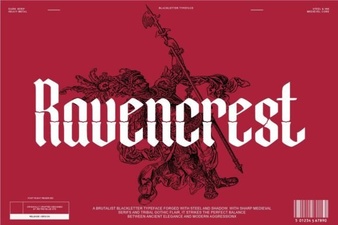 Ravencrest Font: Elegant Typeface for Creative Projects
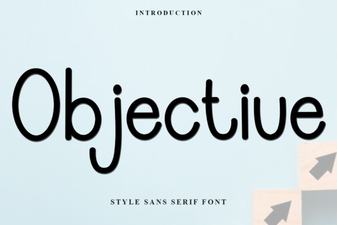 Objective Font: Clean Versatility for Modern Projects
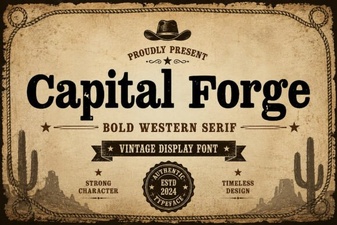 Capital Forge Font: Bold Creative Design Ideas and Inspiration
 Creative Graduation Font Ideas for Design Projects
 Records Font - Free Sans Serif Typeface for Modern Design
 Romelle Font: Elegant Typeface for Creative Design Projects